
- Click the Tools menu (three dotted lines in the upper-right corner).
- Select History.

- Select Clear Browsing Data from the left-hand side. Set the Time Range set to All Time. Check-mark Cookies and other site data and Cached images and files and select Clear Data.
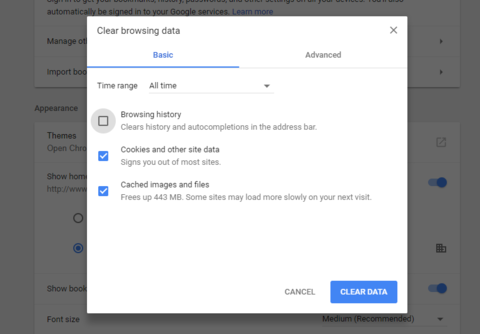
- If on a Windows computer, close and re-open Chrome to save your changes. If on an Apple computer, go to the Chrome menu on the top menu bar and select Quit for the changes to take effect.
Uncategorised
Dashboards can be accessed here: Twilio Flex
It will give you a series of reports to enable you to review performance:
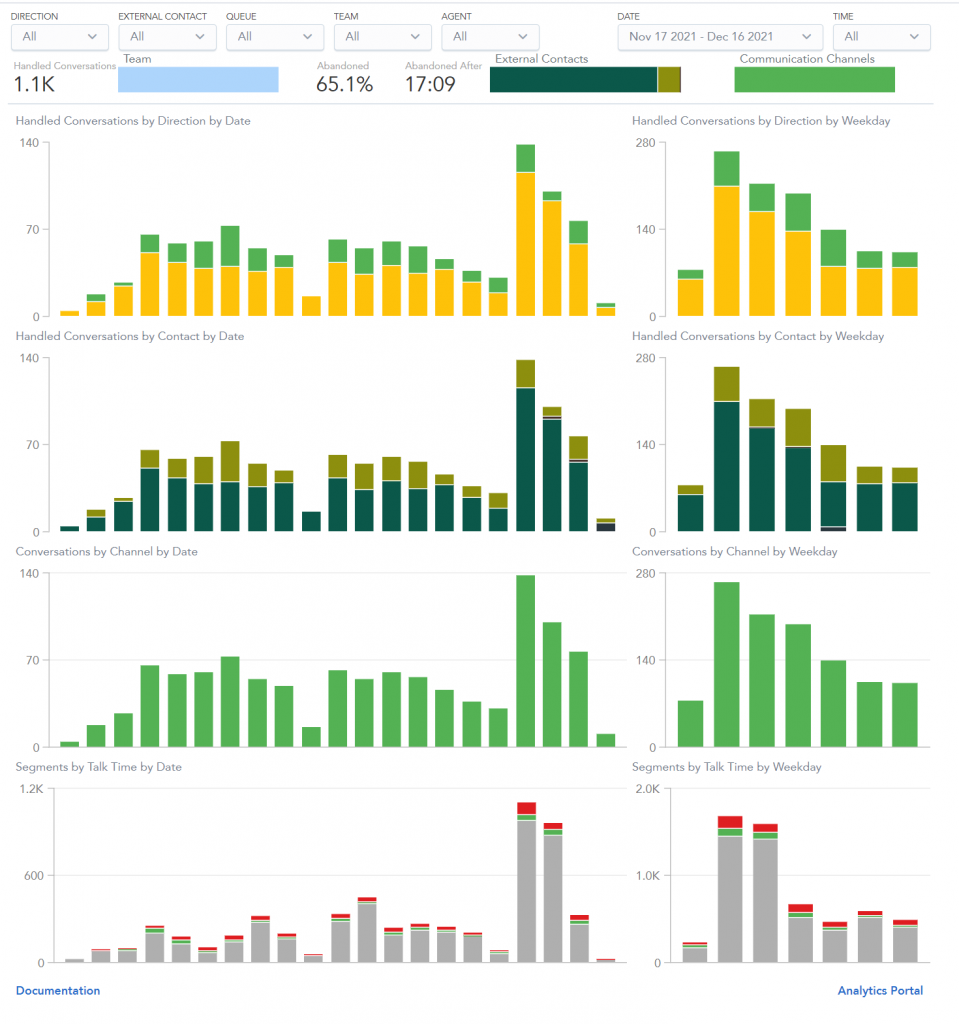
The Teams View provides a real-time view of contact center agents’ activity. With this information, supervisors can monitor individual tasks for training and problem-solving in the contact center. This tool helps supervisors ensure that agents’ interactions with customers meet quality standards.

Call monitoring
Call monitoring allows supervisors and admins to listen to any call in real-time. To listen to a live call:
1. Open any voice call task by clicking on it in the Agents list

2. Click on the Call Monitoring button. A persistent bar (LiveCommsBar) indicating active call monitoring will appear, and audio from the call will start playing.